
How to reassign a device to another child?
You can reassign a device to a different child either from the parent app or directly from the child’s device.
From the Parent App
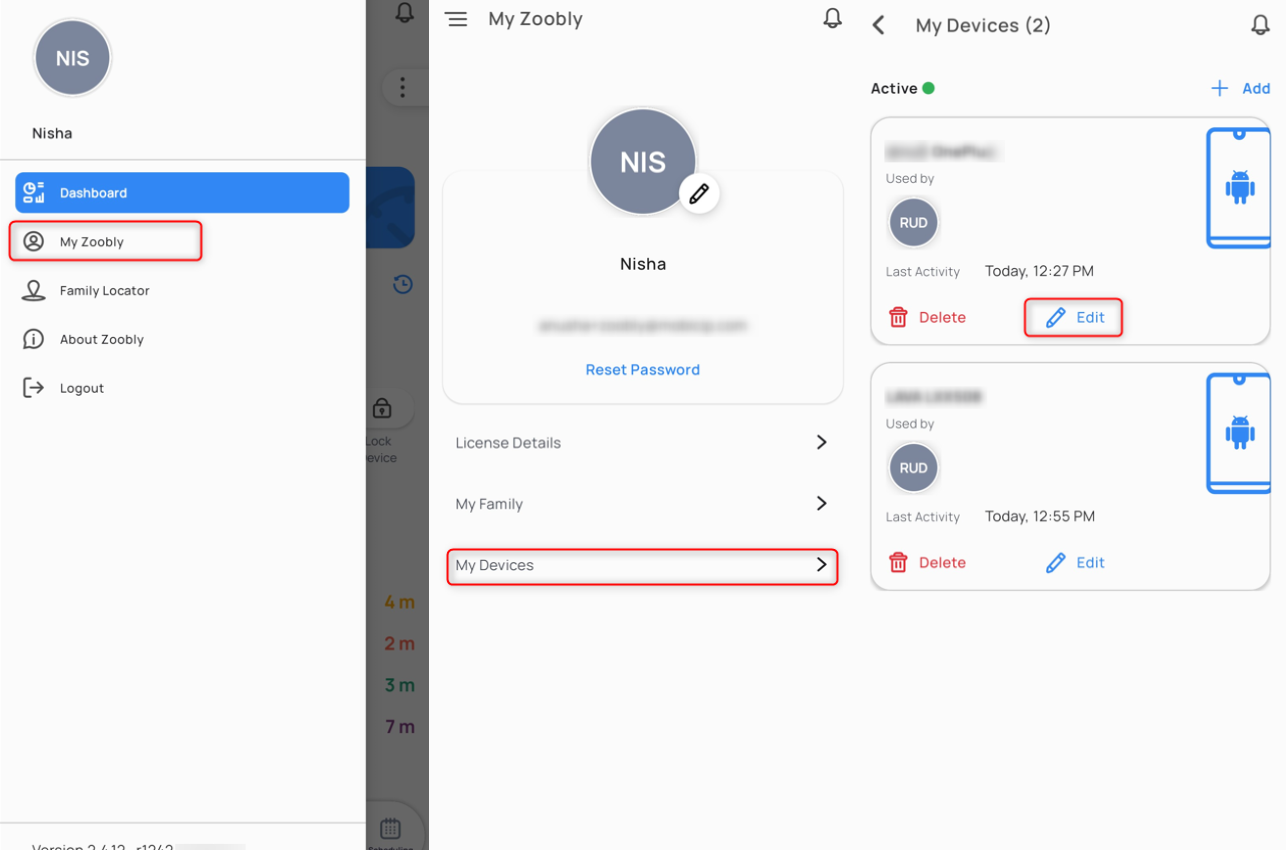
- Tap the Hamburger menu (☰) in the top left corner and select My Zoobly.
- Go to My Devices.
- Find the device you want to reassign and tap Edit.
- Tap Change next to the child user.
- Select the new child from the Reassign to list and tap Save.
-
That’s it! The device is now assigned to the new child.
From the Child’s Device
- Open the Zoobly app on the child’s device.
- Tap the Hamburger menu (☰) in the top left corner and select Change User.
- Enter your Zoobly parent account credentials to confirm the change.
Once authenticated, the device will be reassigned to the new child.
