
How to add a shared admin/parent in Zoobly?
Zoobly lets you share your account with another adult so they can help manage and monitor your child’s device use.
Steps to Add a Co-admin
- Open the Zoobly Parent app.
- Go to My Zoobly > My Family and tap the ‘+’ icon to Add Member.
-
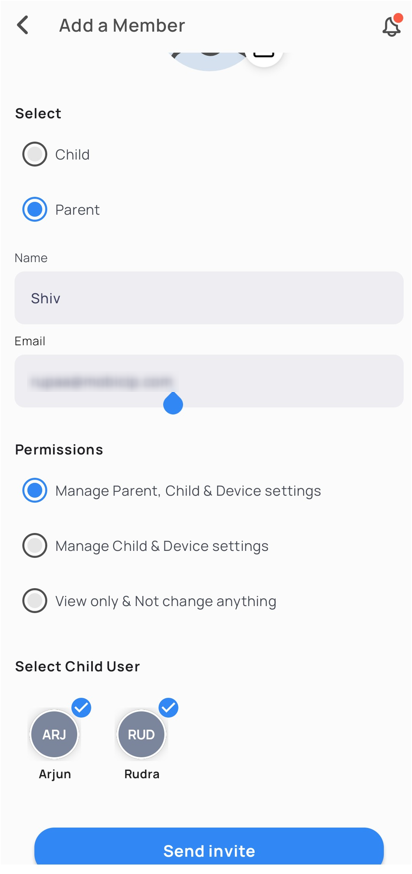
Select Parent and enter their name and email address.
-
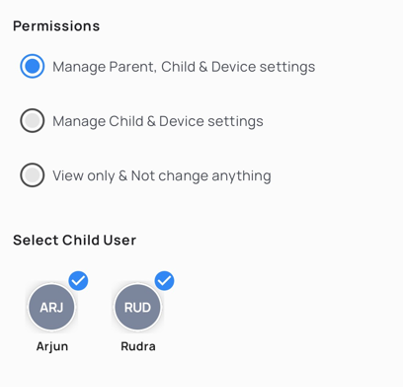
As the account owner, you can choose the child profiles that the co-admin can monitor and also control the level of access they have in the account.
- They will receive an invite email with a link to create a Zoobly account that connects to yours. Make sure they use the link in the email to connect their account successfully.
Tap Send Invite— and that’s it! Your co-admin is now part of your Zoobly account, ready to help guide your child safely online.
